
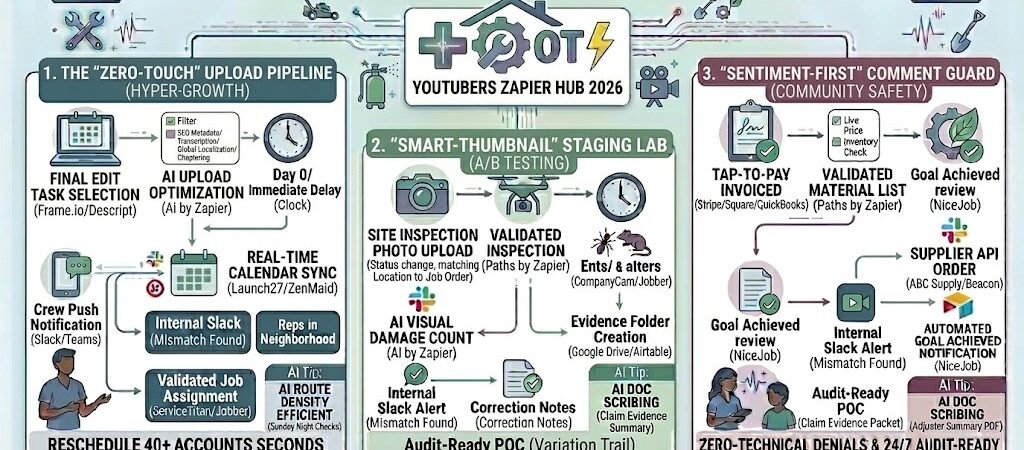
Key Takeaways: Zapier for YouTubers 2026
- The “Auto-Upload” Pipeline: Sync your finished edits from Google Drive or Frame.io directly to YouTube with pre-optimized SEO metadata.
- AI Thumbnail A/B Testing: Automatically generate multiple thumbnail variants using CapCut AI or Canva Magic Media the moment a video is staged.
- Comment Sentiment Guard: Use AI by Zapier to instantly hide spam or toxic comments while flagging high-value fan questions for a personal response.
- Cross-Platform Repurposing: Trigger the creation of YouTube Shorts and LinkedIn teasers automatically upon every main-channel upload.
The “Logistics Friction” of 2026
In 2026, YouTube has matured into a hyper-competitive attention economy where 20 million videos are uploaded daily. While the platform’s 2.7 billion users offer unprecedented reach, the administrative burden of maintaining a “Top 1%” channel has become the primary cause of creator burnout. For the modern YouTuber, the “creative process” is often overshadowed by the Logistics Friction—the technical grunt work that happens after the edit is finished.
By 2026, the gap between a “stagnant” channel and a “hyper-growth” channel is defined by three operational bottlenecks:
- The “Upload Gap” Burnout: Creators spend an average of 3-5 hours per video on non-creative logistics: copy-pasting descriptions, formatting tags, managing localized metadata, and manually staging uploads. In 2026, this “Admin Tax” prevents creators from focusing on high-level strategy and community building.
- The Thumbnail “Guessing Game”: With 70% of watch time driven by recommendations, your Click-Through Rate (CTR) is your most important growth lever. However, relying on a single “gut-feeling” thumbnail is a 2024 tactic. In 2026, high-performing channels use automated A/B testing to iterate on visuals in real-time. If you aren’t testing 2-3 variants, you are statistically leaving 30% of your potential views on the table.
- The “Toxicity Trap”: As YouTube’s automated moderation becomes more aggressive in 2026—deleting over 12 million channels in the past year alone—community safety is no longer optional. Manually wading through hundreds of comments to filter out “AI slop,” spam, and toxic behavior is a mental drain that often leads creators to disable comments entirely, killing their engagement signals in the process.
The Zapier Solution: Zapier acts as your “Virtual Channel Manager,” bridging the gap between your production suite (Adobe Premiere, CapCut, or Frame.io) and the YouTube API. By 2026, an automated YouTuber doesn’t “upload” files; Zapier has already staged the video, generated 3 AI thumbnail variants, and drafted SEO-optimized metadata in the background. Your job isn’t to be a data-entry clerk; it’s to hit “Publish” and engage with the high-value fans that Zapier has filtered for you.
Practical AI Tip for 2026: Use AI by Zapier to “Localize for Global Reach.” In 2026, 25% of channel growth comes from translated metadata. Have Zapier automatically send your English title and description to an AI agent to localize them for the top 3 languages in your audience (e.g., Hindi, Spanish, Portuguese). This doubles your “discoverability surface” without adding a second to your workflow.
Blueprint #1 – The “Zero-Touch” Upload Pipeline
In 2026, the physical act of “uploading” a video should be the last thing a creator thinks about. The manual process of copy-pasting titles, dragging files, and painstakingly typing out descriptions is where most “upload friction” occurs. This blueprint uses Zapier as a background channel manager to sync your production cloud directly with YouTube, ensuring your metadata is SEO-optimized by AI before you even open the YouTube Studio.
1. The Trigger: The “Approved” Cloud Drop
- The 2026 Tech: You finish your edit in Adobe Premiere or CapCut and export it to a specific “Final Review” folder in Google Drive, Dropbox, or Frame.io.
- The Action: Zapier watches this folder. Once the file upload is complete, it triggers the automation sequence.
2. The Logic: AI SEO & Metadata Sculpting
Zapier acting as your Head of SEO, routing the video data through 2026-grade AI nodes to maximize discoverability:
- The Transcription Loop: Zapier sends the file to AssemblyAI or Otter.ai to generate a high-accuracy transcript. This transcript becomes the “source of truth” for the next steps.
- The Metadata Generator (AI by Zapier): Using the transcript, Zapier triggers a prompt in GPT-4o or Claude 3.5: “Generate a YouTube-optimized title (under 70 chars), a 300-word keyword-rich description, and a list of 15 long-tail tags based on this transcript.”
- The Localization Pass: For global reach, Zapier sends the English metadata to Google Cloud Translation API to generate localized titles and descriptions for your top 3 non-English speaking regions (e.g., Hindi, Spanish, and Portuguese).
3. The Action: The “Private” Staging Upload
- The Upload: Zapier pushes the video file directly to your YouTube channel.
- The Setting: It is uploaded as “Private” or “Unlisted.” All AI-generated metadata, including the localized versions, are pre-filled in the video settings.
- The Notification: Zapier sends a Slack or Discord message: “Video #[Title] has been staged to YouTube as Private. Metadata is pre-filled. Ready for Thumbnail & Final Review.”
- The Result: You bypass the 30-minute upload/data-entry slog. Your only job is to check the AI’s work and hit “Public.”
Summary: The Zero-Touch Upload Zap
| Step | Component | 2026 Recommended Tool |
| Trigger | New File in Folder | Google Drive / Frame.io |
| Logic 1 | AI Transcription | AssemblyAI / Deepgram |
| Logic 2 | AI SEO Metadata | AI by Zapier (GPT-4o) |
| Logic 3 | Global Localization | Google Translation API |
| Action | Staged YouTube Upload | YouTube (via Zapier) |
Practical AI Tip for 2026: Use AI by Zapier to “Auto-Chapter” your video. Based on the transcript, have the AI identify the exact timestamps where you switch topics. Zapier can then format these as
00:00 - Intro,02:45 - The Problem, etc., and insert them directly into the bottom of your YouTube description. This is a massive boost for both user experience and Google Search ranking.
Blueprint #2 – The “Smart-Thumbnail” Staging Lab
In 2026, the era of “guessing” which thumbnail will work is over. High-performing channels now treat their visuals like scientific experiments, using Thumbnail A/B Testing to let live audience data dictate the winner. However, creating 3 distinct, high-quality thumbnails manually for every video is a production bottleneck. This blueprint automates the creation and staging of thumbnail variants, ensuring you always launch with the highest possible Click-Through Rate (CTR).
1. The Trigger: YouTube Staging Finalized
- The 2026 Tech: As soon as Blueprint #1 completes the “Private” upload to YouTube, it triggers the Thumbnail Zap.
- The Action: Zapier pulls the video’s final title and transcript to provide context for the AI designer.
2. The Logic: AI Visual Variation & Score Prediction
Zapier acts as your Creative Director, orchestrating 2026’s top visual AI tools to generate high-contrast options:
- The Frame Extractor (Thumbmagic / CapCut AI): Zapier sends the video file to Thumbmagic. The AI analyzes the video for “High-Emotion” frames (smiles, shocked expressions, or intense action) and extracts the best 5 high-res stills.
- The Design Loop (Canva Magic Media / Pikzels): Zapier sends these frames to Canva or Pikzels. Using your brand’s “Style Template,” it generates three distinct variations:
- Variation A (The Hero): Focused on a close-up of your face with 3 words of high-contrast text.
- Variation B (The Action): A wide shot of the video’s most “viral” moment with a bright border.
- Variation C (The Curiosity): A minimalist, text-free version designed to trigger the “curiosity gap.”
- The Predictor (1of10 / Pikzels Score): Before you even see them, Zapier runs the images through a 2026 “CTR Predictor” like Pikzels Score, which rates each thumbnail based on current niche trends.
3. The Action: The “Test & Compare” Auto-Stage
- The YouTube Sync: Zapier pushes the top 3 variations directly to your YouTube Studio “Test & Compare” dashboard.
- The Set-and-Forget Launch: In 2026, YouTube’s native “Test & Compare” feature can be set to run for the first 3 hours of a launch. Zapier configures the test to automatically lock in the winning thumbnail based on Watch Time and CTR metrics.
- The Result: You launch your video with three “competitors.” While you’re off-line, YouTube finds the winner, and your video gets the maximum possible reach from the start.
Summary: The Smart-Thumbnail Za
| Step | Component | 2026 Recommended Tool |
| Trigger | YouTube Upload Staged | YouTube / Zapier |
| Logic 1 | AI Frame Extraction | Thumbmagic / CapCut |
| Logic 2 | AI Variation Generation | Canva / Pikzels |
| Logic 3 | CTR Score Prediction | Pikzels / 1of10 |
| Action | A/B Test Staging | YouTube “Test & Compare” |
Practical AI Tip for 2026: Use AI by Zapier to “Auto-Redact Backgrounds.” In 2026, thumbnails with “clean” or “blurred” backgrounds often perform 20% better. Have Zapier trigger Canva’s Magic Eraser to automatically remove messy backgrounds from your face-stills and replace them with high-contrast brand colors before the text is applied.
Blueprint #3 – The “Sentiment-First” Comment Guard
In 2026, the success of a YouTube channel is increasingly tied to “Community Health” signals. With the platform’s 2026 AI updates placing automated moderation at the core of the YouTube Partner Program (YPP), creators are now responsible for managing a massive influx of “AI slop,” deepfake-link spam, and toxic sentiment that can actually hurt their algorithm standing. This blueprint uses AI Sentiment Agents to act as your first line of defense, keeping your comment section clean and high-value without the mental drain of manual moderation.
1. The Trigger: New Comment Inbound
- The 2026 Tech: A viewer posts a comment on any video across your channel.
- The Action: Zapier detects the “New Comment on Video” event. In 2026, this trigger now pulls rich metadata, including the commenter’s account age and “Community Trust” score.
2. The Logic: AI Sentiment Triage & “Likeness” Verification
Zapier acting as your Community Manager, sorting the noise using specialized 2026 nodes:
- The Toxicity Filter (Moderation API / Hive AI): Zapier sends the text to an AI agent. It’s looking for more than just “bad words”—it identifies “Sarcasm,” “Impersonation,” and “Spam Intent.”
- The Likeness Check: Following YouTube’s 2026 Likeness Detection strategy, Zapier cross-references comments against a “Verified Fan” list. If an account uses your name and face but isn’t you, Zapier flags it as a “Deepfake/Impersonator.”
- The Sentiment Score (AI by Zapier): Comments are categorized into three buckets:
- Bucket A (Spam/Toxic): Sentiment score below -0.8 or contains blacklisted links.
- Bucket B (High-Value/Questions): Sentiment is positive/curious and contains specific keywords (e.g., “how do I,” “cost,” “EvenUS app”).
- Bucket C (General Fan Love): General positive sentiment (“Great video!”).
3. The Action: The “Smart-Respond” & Slack Alert
- The Auto-Hide: For Bucket A, Zapier uses the “Set Moderation Status” action to move the comment to “Held for Review” instantly, protecting your audience before they see it.
- The High-Value Lead: For Bucket B, Zapier pushes the comment to a dedicated Slack channel: “HOT LEAD: [User] asked about pricing on your latest video. Click here to reply personally.”
- The AI Engagement: For Bucket C, Zapier can trigger an AI-suggested reply or simply “Heart” the comment via the YouTube API to boost engagement signals.
Summary: The Comment Guard Zap
| Step | Component | 2026 Recommended Tool |
| Trigger | New Comment Posted | YouTube API / Zapier |
| Logic 1 | AI Toxicity & Likeness Check | Moderation API / Hive AI |
| Logic 2 | AI Sentiment Categorization | AI by Zapier (Gemini/GPT) |
| Action 1 | Auto-Hide “Likely Spam” | YouTube (Moderation Status) |
| Action 2 | Priority Slack Alert (Leads) | Slack |
Practical AI Tip for 2026: Use AI by Zapier to “Summarize the Vibe.” Every Monday, have Zapier compile the top 500 comments from your week’s uploads into a single “Audience Vibe Report.” It can tell you: “70% of fans are confused about Step 3 of your tutorial,” allowing you to address it in your next video without reading every single message.
The 2026 YouTube Tech Stack
In 2026, the “Hyper-Growth” YouTuber isn’t just a filmmaker; they are a systems architect. Your tech stack must prioritize AI-driven production, data-backed A/B testing, and community safety. The following configuration is the 2026 industry standard for creators who want to scale their views while reducing their manual “Admin Tax.”
1. The 2026 Core Stack
| Function | 2026 Recommended Tool | Why It Wins in 2026 |
| Video Engine | Google Veo / Adobe Firefly | Generates high-fidelity, commercially-safe B-roll and stylization from simple prompts. |
| SEO & Strategy | vidIQ / TubeBuddy | Predicts viral title CTRs and identifies niche trends before they peak. |
| AI Editor | Descript / FireCut | Allows for “text-based editing” and automated removal of silences directly in Premiere. |
| Thumbnail Lab | Thumbmagic / Canva | Automates video-to-thumbnail extraction with AI-powered background removal. |
| Safe Community | Spikerz / Statusbrew | 24/7 AI protection against “Deepfake” impersonators and toxic spam. |
2. The 2026 “Growth” Circuitry
In 2026, Zapier acts as your “Production Manager,” routing data through these three growth circuits:
- The “Shorts” Circuit: Connect YouTube Studio to OpusClip. As soon as your long-form video is staged, Zapier triggers an AI scan to extract 5-8 viral Shorts, complete with reactive captions and transitions.
- The A/B Circuit: Link vidIQ to your YouTube “Test & Compare” dashboard. Zapier takes AI-suggested titles and thumbnails and stages them for a 3-hour “Launch Test,” ensuring the winner is locked in for the algorithm peak.
- The Safety Circuit: Connect YouTube API to Spikerz. Every incoming comment is triaged for “Impersonator Scams” or “Toxic Sentiment.” Zapier auto-hides the junk while flagging legitimate fan questions in your Slack“Engagement” channel.
3. Hardware for the 2026 “Pro-Studio”
- AI-Mastered Webcams: Tools like the YoloCam S3 provide 4K/30fps DSLR-quality footage with built-in AI that automatically adjusts lighting and focus settings in real-time.
- Neural-Sync Microphones: Use 2026-grade mics (like the Shure SM7B paired with a Rodecaster Duo) that utilize onboard AI to strip out background noise and “keyboard clicks” at the hardware level.
- Dynamic Smart Lighting: Connect Amaran or Hue Play Bars to your recording app via Zapier. When you hit “Record,” your “Accent Lighting” automatically shifts to your brand’s colors, ensuring visual consistency across every video.
Conclusion: Your 30-Day “YouTube Autopilot” Roadmap
- Week 1: The Upload Shield. Connect your Cloud Storage to YouTube to automate your SEO metadata and “Private” staging.
- Week 2: The Thumbnail Lab. Set up the Section 3 workflow to start A/B testing every visual before you hit “Public.”
- Week 3: The Comment Guard. Implement the Section 4 triage to protect your mental energy and boost your engagement signals.
- Week 4: The Global Reach. Create a “Localization Zap” that automatically translates your titles and descriptions into the top 3 languages of your audience.

About the Author
Aapt DubeyAapt Dubey is an automation specialist and software developer dedicated to eliminating manual workflows for small businesses. With deep, hands-on experience building complex Zapier integrations, API connections, and real-world applications, Aapt writes actionable, tested tutorials to help businesses scale efficiently.