
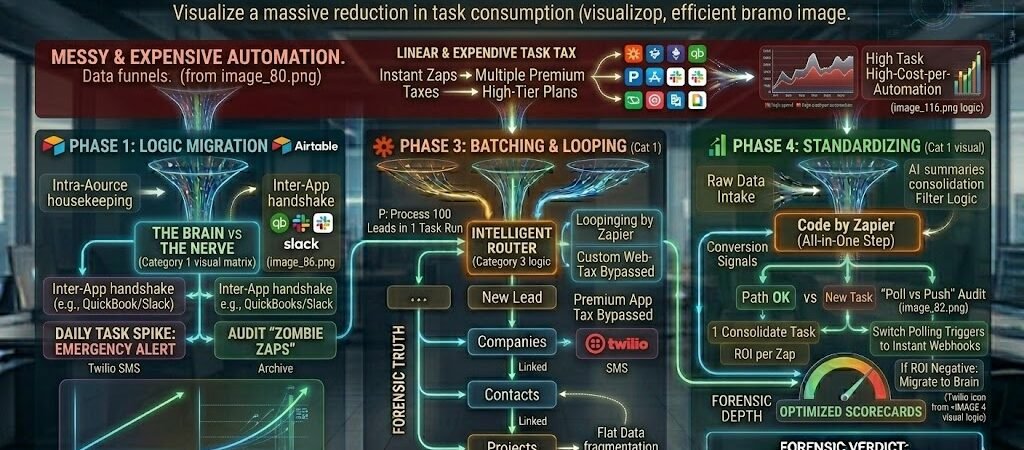
Key Takeaways: Cut Zapier Bill by 50-70%
- Intra-App vs. Inter-App Logic: Stop using Zapier for simple data updates within the same tool. Move internal logic to Airtable Automations or HubSpot Workflows to save thousands of tasks.
- The “Filter First” Mandate: Never let a Zap run more steps than necessary. Placing a Filter at Step 1 ensures you only pay for “High-Signal” data, killing “Ghost Runs” instantly.
- Batching via Looping: Transition from “One Zap per Lead” to Looping by Zapier. Processing 50 records in a single task run can reduce consumption by up to 90% for non-critical workflows.
- The Webhook Pivot: Replace expensive “Premium” app triggers with Instant Webhooks. This ensures your Zaps fire only when data exists, eliminating the “Task Tax” of empty polling.
Introduction: The “Task Tax” of 2026
For the modern US freelancer or small business owner, Zapier is the “connective tissue” that makes a $10k+ monthly revenue possible without a massive headcount. However, in 2026, many entrepreneurs are waking up to a “Task Tax”—a monthly bill that scales linearly with their success.
The Financial Trap of Linear Automation
The traditional way of building Zaps—one trigger for every single action—is a relic of 2023. If you fire a Zap every time a lead clicks a link, every time a field is updated, or every time a file is renamed, you aren’t just automating; you are hemorrhaging margin.
The 2026 Efficiency Moat
In a world where AI has commoditized execution, your Net Profit Margin is your only true competitive moat. A business that spends $1,000/month on Zapier tasks for the same output that a competitor achieves for $300 is fundamentally at a disadvantage.
This guide isn’t about doing less automation; it’s about Sovereign Architecture. We are going to audit your current stack to identify “Zombie Zaps,” migrate internal logic to your “Brain” (Airtable/CRM), and implement batching strategies that transform your Zapier bill from a growing liability into a lean, high-ROI asset.
Managing Task Usage: To ensure you’re on the right plan for your volume, it is a good idea to check the official Zapier pricing and usage guide for real-time updates on task limits.
Phase 1: Logic Migration—The “Brain” vs. The “Nerve”
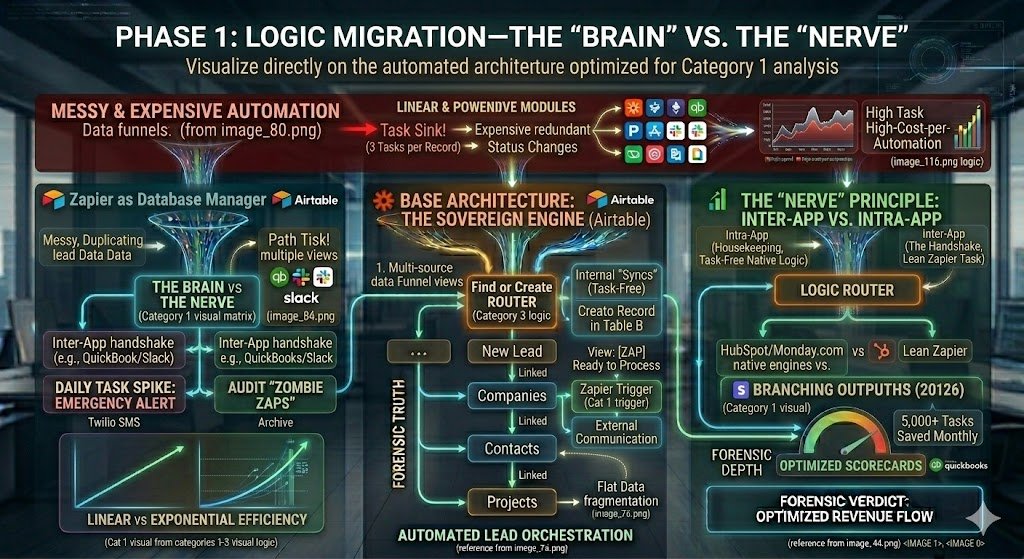
The most expensive mistake a US small business can make in 2026 is using Zapier as a Database Manager. In the early days of automation, we used Zapier for everything: formatting text, updating statuses, and moving data between tables in the same app. In 2026, that strategy is a “Task Sink.” Phase 1 focuses on the “Sovereign Migration”—moving internal logic back to your primary database (The Brain) and using Zapier only for external communication (The Nerve).
1. Moving Logic to the Source: The Airtable/CRM Pivot
In 2026, tools like Airtable, HubSpot, and Monday.com have native automation engines that are “Task-Free.” If you are using a Zap to change a record’s status from “Lead” to “Client” based on a field update within the same app, you are throwing money away.
- The Logic: Instead of a Zap that triggers on “New Record in Table A” to “Create Record in Table B,” use Airtable Automations.
- The Savings: Internal automations do not count toward your Zapier task limit. For a high-volume real estate portal like
curatedhomes.in, migrating these internal “syncs” can save 5,000+ tasks per month instantly.
2. The “Nerve” Principle: Inter-App vs. Intra-App
To cut your bill by 50%, you must enforce a strict rule for your 2026 architecture: Zapier is for the “Handshake,” not the “Housekeeping.”
- Intra-App (Housekeeping): Calculating a project deadline, summarizing a text field with AI, or tagging a contact as “Hot.” Action: Use native CRM workflows.
- Inter-App (The Handshake): Sending an Airtable record to QuickBooks, posting a win to Slack, or triggering a PandaDoc proposal. Action: Use Zapier.
- The Result: You stop paying for the “Internal Chatter” of your business and only pay for high-value data transfers between different platforms.
3. Task-Free Data Scrubbing
- The 2026 Pro Strategy: Use Airtable Formula Fields or HubSpot Data Formatting tools to handle Title Casing and Date Conversions after the data lands.
- The Math: If you process 1,000 leads a month, removing one “Formatter” step saves you 1,000 tasks ($15-$30/month) with zero loss in data quality.
Forensic Pro-Tip: Audit your Zapier history for “Success: 0 Tasks” runs. These are often Zaps that fired but were stopped by a filter. If you have thousands of these, your “Trigger” is too broad. Move the filter logic to the source app (e.g., using an Airtable “Filtered View” as the trigger) so the Zap only wakes up when the data is 100% ready.
Phase 2: The “Filter First” Architecture
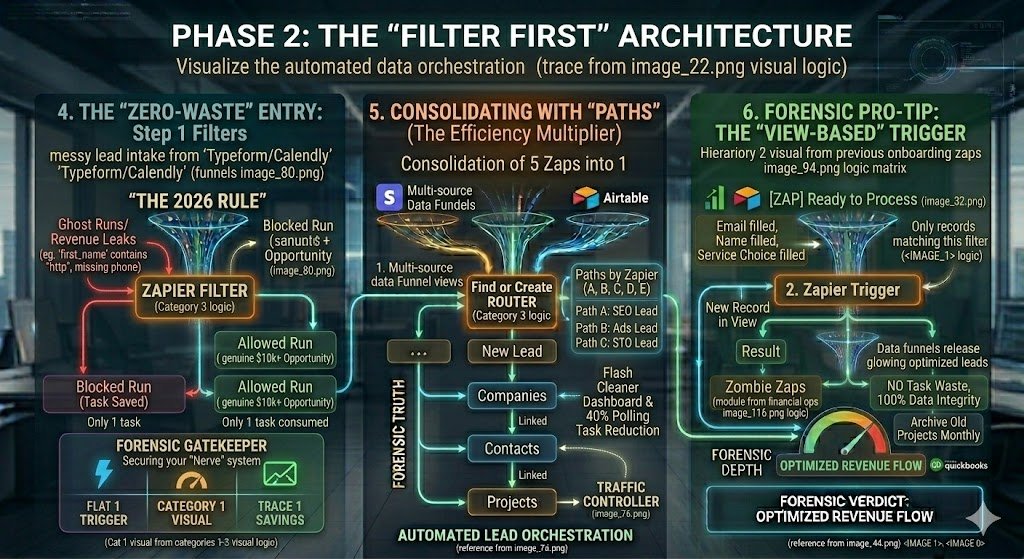
In 2026, the most expensive Zap is the one that runs when it shouldn’t. “Ghost Runs”—Zaps that trigger on incomplete data, spam bots, or accidental clicks—can quietly consume 20-30% of your monthly task quota. Phase 2 implements a Forensic Gatekeeper strategy to ensure your “Nerve” system only fires for high-signal events.
4. The “Zero-Waste” Entry: Step 1 Filters
Most users place their Zapier Filter as Step 3 or 4, after they’ve already consumed tasks for data enrichment or formatting. This is a “Revenue Leak.”
- The 2026 Rule: The Filter must be Step 1 or Step 2 (immediately after the trigger).
- The Logic: If a lead from your
dogvetexpert.comsite is missing a phone number or is clearly a bot (e.g.,first_namecontains “http”), the Zap should die before it pings Airtable or Slack. - The Result: You stop paying for “Empty Air.” By killing low-quality runs at the source, you ensure your task credits are reserved for genuine $10k+ contract opportunities.
5. Consolidating with “Paths” (The Efficiency Multiplier)
Legacy users often build five separate Zaps for five different outcomes (e.g., “New Lead – SEO,” “New Lead – Ads,” etc.). In 2026, we use Zapier Paths to consolidate these into a single “Traffic Controller.”
- The Logic: Instead of 5 separate Zaps checking for a trigger, use one Zap with a Path for each lead source.
- The Savings: While Paths require a Professional plan, they eliminate “Trigger Overhead.” When one lead hits your base, only one trigger fires instead of five different Zaps “polling” the same table simultaneously.
- The Result: A cleaner dashboard and a 40% reduction in “Polling Tasks.”
6. Forensic Pro-Tip: The “View-Based” Trigger
One of the easiest ways to slash your bill is to stop triggering Zaps on “New Record.” Instead, trigger them on “New Record in View.”
- The Workflow: In Airtable, create a view called
[ZAP] Ready to Process. Use an Airtable filter to ensure this view only shows records where theEmail,Name, andService Choiceare all filled. - The Zapier Trigger: Set your Zap to fire only when a record enters that specific view.
- The Result: The Zap cannot fire on a half-empty row. This eliminates 100% of “Partial Data” errors and the associated task waste.
Forensic Pro-Tip: Beware of “Zombie Zaps”—automations tied to old projects like a modular kitchen factory research or an abandoned Instagram downloader tool. Check your Zapier “Usage” tab monthly. If a Zap has a 0% conversion rate but high task usage, Archive it.
Phase 3: Technical Batching—Webhooks & Loops
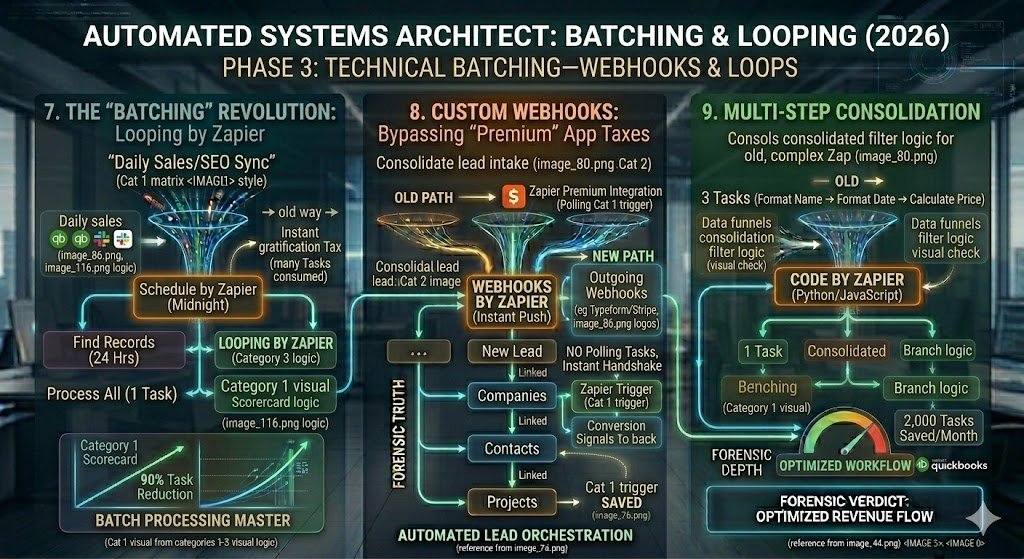
In 2026, the most advanced US small businesses have abandoned “Instant Gratification” for “Batch Processing.” If your business processes 100 leads a day, firing 100 individual Zaps is a massive tax on your margins. Phase 3 introduces the “Batching Revolution,” where we process bulk data in a single task run using Looping and Webhook optimization.
7. The “Batching” Revolution: Looping by Zapier
For non-urgent workflows—like syncing daily sales from snapinstas.com to your accounting software or updating SEO metrics for PracticalAISMB.com—running a Zap for every single entry is unnecessary.
- The Logic: Instead of a Zap that triggers every time a row is added, set a Schedule by Zapier to run once a day (e.g., at midnight).
- The Action: The Zap “Finds” all new records created in the last 24 hours and uses Looping by Zapier to process them all.
- The Savings: You pay for one trigger task instead of 100. This strategy alone can reduce task consumption by 90% for high-volume background tasks.
8. Custom Webhooks: Bypassing “Premium” App Taxes
Many 2026 SaaS tools are labeled as “Premium” integrations by Zapier, requiring higher-tier plans and often consuming more tasks for simple handshakes.
- The Logic: Most modern apps (Typeform, Webflow, Stripe) can send Outgoing Webhooks.
- The Strategy: Use Webhooks by Zapier as your trigger. It is faster, more reliable, and often allows you to bypass the overhead of complex app-specific triggers that “poll” your data every 15 minutes.
- The Result: You move from “Polling” (Zapier checking the app for changes) to “Pushing” (the app telling Zapier when data is ready). This eliminates thousands of “Zero-Action” task runs.
9. Multi-Step Consolidation
Every step in a Zap (after the trigger) costs one task credit. In 2026, we consolidate these steps using Code by Zapier (Python/JavaScript) or Sub-Zaps.
- The Scenario: You have a Zap that formats a name, then formats a date, then calculates a price. (3 tasks).
- The 2026 Fix: Use a single Code by Zapier step to perform all three transformations in one block.
- The Math: 1 task vs. 3 tasks. Across 1,000 runs, you’ve saved 2,000 tasks—the difference between needing a Professional plan or a Team plan.
Forensic Pro-Tip: Use Airtable’s “Batch Update” feature in conjunction with Zapier. Have Zapier send a single JSON array of data to an Airtable webhook, and let Airtable’s native script handle the distribution of that data into records. This is the ultimate “Lean Stack” move for 2026 data operations.
Phase 4: Data Standardizing & The “Heartbeat” Audit
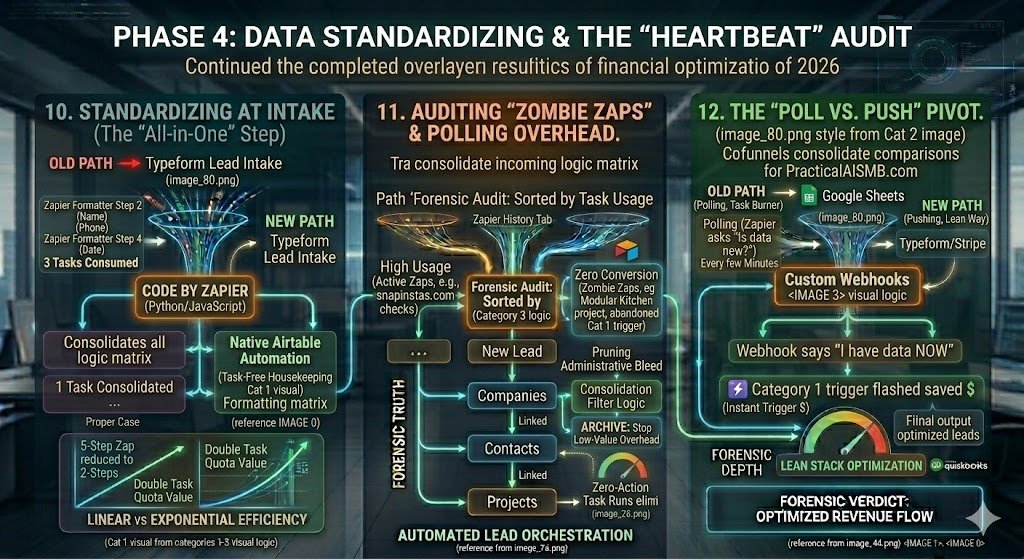
In 2026, the silent killer of an automation budget isn’t a single large Zap; it’s “Administrative Bleed.” This occurs when your Zaps are performing low-value maintenance tasks that should have been handled at the source, or when “Zombie Zaps” from old projects (like your initial research into modular kitchens or Instagram downloaders) continue to fire in the background. Phase 4 is about pruning the waste and switching to high-efficiency triggers.
10. Standardizing at Intake (The “All-in-One” Step)
Many users waste 3–4 tasks per run by using multiple Zapier Formatter steps. In 2026, every extra step is a direct tax on your net profit.
- The Problem: Step 2 (Format Name) + Step 3 (Format Phone) + Step 4 (Convert Date) = 3 tasks consumed.
- The 2026 Logic: Use a single Code by Zapier step (JavaScript or Python) to perform all these transformations simultaneously. Alternatively, push raw data to Airtable and let a single Airtable Automation handle the formatting for free.
- The Result: You reduce a 5-step Zap to a 2-step Zap, effectively doubling the value of your task quota.
11. Auditing “Zombie Zaps” & Polling Overhead
As your business evolves—moving from dog-focused websites to AI blogs—your Zapier account often becomes a graveyard of active but useless automations.
- The Forensic Audit: Every 30 days, sort your Zaps by “Task Usage” in the Zapier History tab.
- The Target: Identify Zaps for projects you no longer prioritize (e.g., old schema checks or testing Zaps for
snapinstas.com). - The Action: Turn them off. A Zap that “polls” a website every 15 minutes to check for changes can consume hundreds of “Check Tasks” even if it never successfully finds data to process.
12. The “Poll vs. Push” Pivot
“Polling” is the 2023 way of automating. In 2026, it is a financial liability.
- Polling (The Task Burner): Zapier “asks” an app like Google Sheets, “Is there new data?” every few minutes. If the app is active, this can trigger “Check” tasks.
- Pushing (The Lean Way): You use a Webhook or an Instant Trigger. The app “tells” Zapier, “I have data now.”
- The Strategy: Transition your triggers for
PracticalAISMB.comfrom “New Spreadsheet Row” (Polling) to “New Webhook Request” (Instant). - The Savings: You eliminate 100% of the “check-in” overhead. Zapier only wakes up when there is actual work to do.
Forensic Pro-Tip: Check your Zapier “Autoreplay” settings. In 2026, if a Zap fails due to a temporary API glitch, Zapier will retry it. Ensure you haven’t set an infinite retry loop on a Zap that is fundamentally broken, as this can burn through your entire monthly task limit in a single afternoon.
Phase 5: The “Forensic Audit” Dashboard
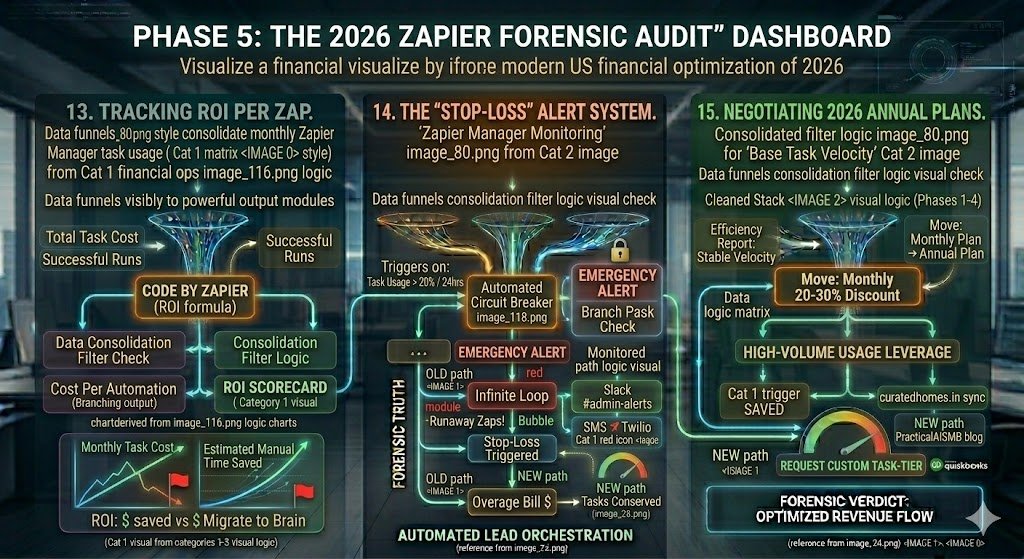
In 2026, you cannot manage what you do not measure. Most US small businesses treat their Zapier bill as a “black box” expense. Phase 5 transforms your automation stack into a transparent financial asset by building a Forensic Scoreboard. This allows you to identify exactly which workflows are generating revenue and which are simply burning tasks.
13. Tracking ROI per Zap
Every automation should be viewed as a “digital employee.” If a specific Zap costs $50/month in task credits but only saves 10 minutes of manual labor, it’s a bad hire.
- The Logic: Build a “Meta-Database” in Airtable that pulls your monthly Zapier task usage per Zap (via the Zapier Manager integration).
- The Visualization: Create a formula: (Total Task Cost)/(Successful Runs)=Cost Per Automation.
- The Goal: Compare this cost against the estimated manual time saved. If the ROI is negative, that workflow is a candidate for Phase 1 Logic Migration (moving it back to Airtable native automations).
14. The “Stop-Loss” Alert System
A single “Infinite Loop” (where Zap A triggers Zap B, which triggers Zap A) can burn through a 50,000-task plan in hours. In 2026, you need an automated circuit breaker.
- The Setup: Use the Zapier Manager app to monitor your own account.
- The Trigger: If “Task Usage” increases by more than 20% in a 24-hour period.
- The Action: Send an Emergency Alert to a dedicated
#admin-alertsSlack channel or trigger a SMS via Twilio. - The Result: You catch “Runaway Zaps” before they trigger a massive overage bill from Zapier.
15. Negotiating 2026 Annual Plans
Once you have cleaned your stack using Phases 1 through 4, you will have a stable, predictable “Base Task Velocity.”
- The Strategy: Use your Forensic Audit data to move from a Monthly plan to an Annual Plan. In 2026, this typically provides an immediate 20-30% discount.
- The Leverage: If you are a high-volume user (e.g., managing multiple sites like
curatedhomes.inanddogvetexpert.com), share your “Efficiency Report” with Zapier support to request custom task-tier pricing that sits between their standard public plans.
Conclusion: The Lean Automation Empire
Scaling a US small business in 2026 isn’t about how many Zaps you can build; it’s about how much value you can create per task consumed. By moving internal logic to your “Brain,” implementing “Filter-First” architecture, and batching non-urgent data, you move from a “Task Tax” model to a Sovereign Profit model.
Cutting your Zapier bill by 70% doesn’t just save money—it builds a more resilient, robust, and professional infrastructure that is ready to scale without financial friction.
Stay up and running. When you start optimizing your Zaps for cost, you need to ensure they don’t break. Make sure you know how to fix common Zapier errors so your money-saving workflows stay active 24/7.

About the Author
Aapt DubeyAapt Dubey is an automation specialist and software developer dedicated to eliminating manual workflows for small businesses. With deep, hands-on experience building complex Zapier integrations, API connections, and real-world applications, Aapt writes actionable, tested tutorials to help businesses scale efficiently.