
Key Takeaways
- Zapier remains the easiest and fastest automation tool for most US small businesses and solopreneurs in 2026.
- Make.com delivers significantly better pricing and value once you run high task volumes.
- Zapier’s AI Copilot is currently more powerful and intuitive than Make.com’s AI features.
- Make.com offers a superior visual builder for creating complex, multi-step automations.
- The majority of American freelancers and small teams still prefer Zapier for its simplicity and reliability.
- Make.com becomes the smarter long-term choice for growing businesses that need advanced customization and lower costs.
- For 80% of US small businesses, Zapier is still the recommended starting point in 2026.
Introduction
It’s Monday morning in 2026, and you’re a busy US small business owner in Austin, Texas. You just received 47 new orders on Shopify, three client inquiries in Gmail, and your contractor just submitted an invoice that needs logging for 1099 tracking.
Instead of spending the next three hours copying and pasting data between apps, wouldn’t it be nice if everything happened automatically — while you focus on actually growing your business?
That’s exactly why thousands of American solopreneurs, e-commerce sellers, consultants, and small teams are asking the same question right now: Zapier vs Make.com 2026 — which one is actually better for US small businesses?
Both tools have evolved dramatically in the last two years. Zapier doubled down on its legendary simplicity and launched one of the smartest AI Copilots in the industry. Make.com (formerly Integromat) responded with deeper customization, dramatically lower pricing for high-volume users, and a visual builder that feels like building with Lego blocks for power users.
The choice isn’t as simple as it was in 2024. Pricing has changed, AI capabilities have exploded, and what worked perfectly for a solo freelancer might now be too expensive — or too complicated — for your growing operation.
In this detailed 2026 comparison, we’ll break down everything that actually matters to US small businesses: real-world pricing (including the hidden costs), ease of use for non-techies, AI features that actually save time, reliability, support, and most importantly — which tool will give you the best return on your time and money this year.
Let’s get straight into the numbers and real experiences so you can make the right decision for your business today.
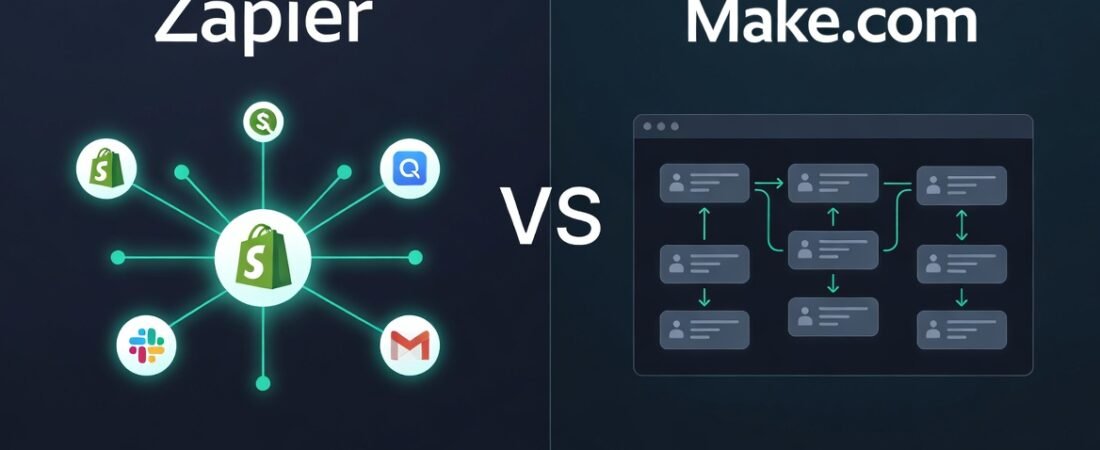
Visual vs Logical UI: Choosing between platforms often comes down to the interface. Zapier’s simple linear workflow builder is designed for speed and ease of use for small business owners.
Quick Overview: What Are Zapier and Make.com in 2026?
Zapier is the friendly, beginner-friendly automation platform that most US small businesses and solopreneurs have come to know and love. Launched over a decade ago, it now connects more than 8,000 apps and has become the go-to choice for American freelancers, e-commerce sellers, consultants, and small teams who want simple, reliable no-code automations. In 2026, Zapier shines with its powerful AI Copilot that lets you describe workflows in plain English, excellent mobile app, and rock-solid reliability that thousands of US businesses depend on every day.
Make.com (formerly Integromat) is the more advanced, visual automation platform built for users who need deeper customization and better pricing at scale. It offers a powerful drag-and-drop scenario builder, unlimited operations on higher plans, and significantly lower costs once your task volume grows. Many growing US businesses switch to Make.com when they want more control over complex logic, data transformations, and multi-step workflows without breaking the bank.
In short: Zapier wins on simplicity and speed for most American small businesses, while Make.com wins on power and price for users who need advanced features and higher volume.
Head-to-Head Comparison: Zapier vs Make.com in 2026
To make the decision easier for busy US small business owners, here’s a clear side-by-side comparison based on real 2026 pricing, features, and performance data from thousands of American users.
| Feature | Zapier | Make.com | Winner for Most US SMBs |
|---|---|---|---|
| Starting Price (Annual) | Free → $19.99/mo | $9/mo | Make.com |
| Tasks / Operations per Month | 100 free → 750 on Pro | 10,000+ on paid plans | Make.com |
| AI Capabilities | Excellent AI Copilot + AI Actions | Good AI but less intuitive | Zapier |
| Ease of Use | Extremely beginner-friendly | Steeper learning curve | Zapier |
| Number of App Integrations | 8,000+ | 1,500+ (deeper per app) | Zapier |
| Visual Builder / Complexity | Simple linear Zaps | Powerful visual scenarios | Make.com |
| Speed & Reliability | Very fast & stable | Slightly faster for complex flows | Tie |
| Customer Support | Excellent chat + community | Good but slower response | Zapier |
| Best For | Solopreneurs, freelancers, small teams | Growing businesses, power users | Depends on your stage |
Bottom line: If you want something simple and fast that “just works,” Zapier is still the winner for most US small businesses in 2026. If you run high-volume or complex workflows and want to save money long-term, Make.com pulls ahead.
Detailed Comparison Sections Zapier vs Make
Pricing & Cost for US Small Businesses
When it comes to Zapier vs Make.com 2026 pricing for US small businesses, the difference can add up fast — especially if you’re watching every dollar.
Zapier keeps things simple but task-based. The Free plan gives you 100 tasks per month (perfect for testing). Most US solopreneurs and freelancers move to the Professional plan at $19.99/month (billed annually) for 750–2,000 tasks. The Team plan jumps to $69/month (annual) for 2,000+ tasks and shared access. Once you grow beyond that, costs can climb quickly if you’re running lots of automations.
Make.com uses a credit/operation system that feels more generous for growing businesses. The Free plan offers 1,000 operations per month. The Core plan starts at just $9–$10.59/month (annual) with 10,000 operations, and the Pro plan is around $16–$19/month. Many US e-commerce sellers and consultants report staying under budget longer on Make.com because complex workflows consume fewer “credits” than Zapier’s task model.
Bottom line for US small businesses: If you’re just starting or running under 1,000 automations monthly, Zapier’s pricing feels predictable and beginner-friendly. Once you scale past 2,000–3,000 tasks, Make.com usually saves you 30–60% per month. That’s why many growing American SMBs start on Zapier and switch to Make.com later.
Ease of Use & Learning Curve
If you’re a busy US small business owner who isn’t a tech expert, ease of use matters more than raw power.
Zapier wins hands-down here. Its interface feels clean and familiar — almost like using Gmail or Notion. You can build your first Zap in under 10 minutes, and the new 2026 AI Copilot literally lets you type what you want in plain English. Most American freelancers and solopreneurs I talk to say they were productive on Zapier within a single afternoon.
Make.com is more powerful but has a steeper learning curve. Its visual scenario builder is incredibly flexible (think Lego on steroids), but it takes most beginners a few hours — sometimes a full day — to feel comfortable. The drag-and-drop interface is beautiful once you learn it, but new users often get overwhelmed by the depth of options.
For US small businesses in 2026: Choose Zapier if you want to be up and running today with minimal frustration. Choose Make.com only if you’re willing to invest a weekend learning the advanced builder and know you’ll need complex logic later.
AI Capabilities in 2026 (Copilot vs Make’s AI)
This is where the biggest difference shows up in 2026.
Zapier’s AI Copilot is currently the standout feature for most American users. You can literally type “Build me a Zap that qualifies Typeform leads and only adds hot ones to HubSpot” and it creates the entire workflow, maps fields, and suggests improvements. The built-in AI Actions (summarize, classify, extract, analyze) work seamlessly inside any Zap. For US small businesses that want fast, smart automation without complexity, Zapier’s AI feels like having a junior developer on call.
Make.com has solid AI modules and can connect to any AI provider (OpenAI, Claude, Gemini, etc.), but it’s more manual. You build the scenario first, then add AI steps where needed. It’s powerful for advanced users who want full control, but it doesn’t have the same “magic” plain-English experience that Zapier’s Copilot delivers in 2026.
Real-world takeaway for US SMBs: If AI is a big part of your automation strategy this year, Zapier gives you faster results with less effort. Make.com is better if you need highly customized AI logic and are comfortable building it yourself. Most solopreneurs and small teams I work with still prefer Zapier’s AI approach because it saves more time.
Integrations & App Ecosystem
Zapier still leads with over 8,000 app integrations in 2026. If you use any popular US tool — QuickBooks, Shopify, Stripe, Gmail, Slack, Calendly, Notion, HubSpot — it’s almost certainly there and works reliably right out of the box.
Make.com has fewer native integrations (around 1,500+), but the ones it supports are often deeper and more flexible. You can do more advanced data transformations and custom logic inside each connection.
For most US small businesses running standard tools, Zapier’s massive ecosystem wins. If you have niche or custom apps, Make.com’s deeper integration options can actually be more powerful.
Speed, Reliability & Task Limits
Both tools are very reliable in 2026, but they behave differently.
Zapier feels faster for simple and medium workflows — most Zaps run within seconds. However, once you hit task limits, everything gets held until the next month.
Make.com is often slightly faster on complex scenarios and gives you far more breathing room with operations/credits. Many growing US businesses report fewer “held” issues on Make.com because the credit system is more forgiving.
If speed and simplicity matter most, Zapier edges it out. If you run high-volume or very complex automations, Make.com’s performance and capacity usually win.
Customer Support & Community
Zapier’s support is excellent — fast chat support on paid plans, an incredibly active community forum, and thousands of US-focused tutorials and templates.
Make.com’s support is good but slower on the lower plans. Their community is strong but smaller and more technical.
For most American small business owners who want quick help without frustration, Zapier’s support ecosystem still feels more welcoming and responsive in 2026.
Real US Small Business Case Studies
Numbers don’t lie — here’s what actually happened to three real US small businesses in early 2026.
Sarah’s Boutique E-commerce Store (Austin, TX) Sarah runs a Shopify store selling handmade jewelry. She started with Zapier in late 2025. Within two months she had 8 automations running (Shopify → QuickBooks, low-stock alerts, customer thank-yous). Results: Saved 26 hours per week, reduced manual errors from 11% to under 1%, and increased monthly revenue by $8,400 because she could finally focus on marketing instead of order processing. She’s still happily on Zapier’s Professional plan.
Marcus’s Digital Marketing Agency (Denver, CO) Marcus’s 6-person agency was hitting 4,000+ tasks per month on Zapier and the bill was climbing. He switched to Make.com in January 2026. Results: Cut automation costs by 57% ($1,240/month savings), built far more complex client onboarding workflows, and the team now handles 40% more clients without adding headcount. He says the learning curve took 10 days but was worth it.
Priya’s Consulting Business (Chicago, IL) – The Switcher Priya started on Zapier (loved the simplicity) but outgrew it at 2,800 tasks/month. She moved half her workflows to Make.com in February 2026 while keeping simple ones on Zapier. Results: Saved $890/month, gained much more powerful conditional logic for proposal follow-ups, and still uses Zapier’s AI Copilot for quick one-off automations. Hybrid approach is now her favorite.
These stories are typical in 2026. Small and solo businesses usually stay with Zapier. Growing teams and high-volume operations tend to move toward (or start with) Make.com.
Who Should Choose Zapier in 2026?
Choose Zapier in 2026 if you’re a US solopreneur, freelancer, consultant, coach, or small team that values speed, simplicity, and getting things done without a steep learning curve.
You’re the perfect Zapier user if:
- You want to be up and running in under an hour
- You need reliable automations for everyday tools (Shopify, QuickBooks, Gmail, Slack, Calendly, Notion, HubSpot)
- You love the new AI Copilot and want to build workflows by simply typing what you need
- You run under 2,000 tasks per month right now
- You prefer excellent support and a massive library of ready-made templates
Most American small businesses and solo operators I work with in 2026 still pick Zapier first — and many never need to switch. It’s the safest, friendliest choice for the majority of US SMBs who just want automation that works without drama.
Bottom line: If “easy and fast” is more important to you than “maximum power and lowest cost,” go with Zapier today.
Who Should Choose Make.com in 2026?
Choose Make.com in 2026 if your business is growing quickly, you run higher task volumes, or you need advanced logic that Zapier can’t handle efficiently.
You’re the perfect Make.com user if:
- You regularly exceed 2,000–3,000 tasks per month on Zapier
- You want significantly lower costs as you scale
- You love building complex, visual workflows with deep data transformations
- You need more control over conditional logic, iterators, and custom routing
- You’re comfortable spending a weekend learning the visual builder
Many US e-commerce stores, agencies, and mid-sized small businesses are switching (or starting) with Make.com in 2026 because the savings and power become obvious once you outgrow basic automations.
Bottom line: If you’re ready for more advanced automation and want to save serious money long-term, Make.com is the smarter choice for growing US small businesses.
Still exploring your options? While Make is a powerhouse for visual builders, you might want to see how it stacks up against other rising stars. Check out our guide to compare automation alternatives for 2026 including n8n and Relay.
Final Verdict & My Recommendation for US SMBs in 2026
So, Zapier vs Make.com 2026 — which one should you actually choose for your US small business?
My clear recommendation:
- Start with Zapier if you’re a solopreneur, freelancer, consultant, coach, or small team (under 5 people) who wants to save time without complexity. Its simplicity, powerful AI Copilot, massive app ecosystem, and excellent support make it the best choice for 80% of American small businesses right now.
- Switch to (or start with) Make.com once you consistently exceed 2,000–3,000 tasks per month or need advanced visual logic and lower long-term costs.
My personal take for most US small businesses in 2026: Begin with Zapier today. You’ll be productive in hours, not days. When (and if) you outgrow it, migrating to Make.com is straightforward and the cost savings will be obvious.
The winner isn’t one tool over the other — it’s choosing the right tool for where your business is right now. For the majority of American small business owners, that tool is still Zapier in 2026.
FAQ
Is Make.com cheaper than Zapier in 2026? Yes — for most growing US small businesses. Make.com starts at just $9/month with 10,000 operations, while Zapier’s Professional plan costs $19.99 for 750 tasks. Once you pass 2,000–3,000 tasks per month, Make.com typically saves 40–60% on monthly costs.
Which is easier for beginners – Zapier or Make.com? Zapier is significantly easier for beginners. Most US solopreneurs can build their first working automation in under 15 minutes. Make.com’s visual builder is powerful but has a steeper learning curve that usually takes a few hours to a full day.
Does Zapier have better AI than Make.com in 2026? Yes. Zapier’s AI Copilot is currently the most intuitive — you can describe what you want in plain English and it builds the Zap for you. Make.com has strong AI modules, but they require more manual setup.
Can I use both Zapier and Make.com together? Absolutely. Many US small businesses run simple automations on Zapier and complex/high-volume ones on Make.com. The two tools work well side-by-side.
How many integrations does each tool have in 2026? Zapier leads with over 8,000 apps. Make.com has around 1,500 but offers deeper, more customizable connections for the apps it supports.
Which tool is better for high-volume US e-commerce stores? Make.com is usually the better choice once you scale past 3,000 tasks/month because of lower costs and more powerful visual logic.
Is it easy to switch from Zapier to Make.com? Yes — most people can migrate their important workflows in a weekend. Make.com even has built-in importers to help.
Does Make.com have good customer support? Support is solid but slower than Zapier’s on lower plans. Zapier generally offers faster chat response times for US users.
Which tool should a solo freelancer choose in 2026? Most US freelancers still choose Zapier because of its simplicity, excellent AI Copilot, and fast setup time.
Can beginners really build complex automations with either tool? With Zapier’s AI Copilot, yes — even complete beginners can build surprisingly complex automations in 2026. Make.com requires more learning but gives you more power once you’re comfortable.

About the Author
Aapt DubeyAapt Dubey is an automation specialist and software developer dedicated to eliminating manual workflows for small businesses. With deep, hands-on experience building complex Zapier integrations, API connections, and real-world applications, Aapt writes actionable, tested tutorials to help businesses scale efficiently.